
 Dan K. Snelson
Updated version now available: Microsoft 365 Reset (2.0.0)
Provide users with detailed feedback while removing Acrobat’s Add-in from Microsoft 365

Background
Each time Adobe Acrobat Pro is installed or updated, the Acrobat Add-in is silently added back to the Microsoft 365-related User Content Startup folders.
The Add-in relies on external dynamic libraries, which we purposely disable by setting DisableVisualBasicExternalDylibs to true:
Unless non-Microsoft extensions are being used, set this value to
truevia a Configuration Profile to improve security.
This causes users to observe error messages in the following applications:
- Microsoft Excel
- Microsoft Word
- Microsoft PowerPoint


A Simple Test
❯ defaults read /Library/Managed\ Preferences/com.microsoft.office.plist DisableVisualBasicExternalDylibs
1
Shame on Adobe
Shame on Adobe for not first checking if DisableVisualBasicExternalDylibs has been enabled before installing its Add-in. Adobe bug number: ADC-4483912.
Shame on Microsoft
Shame on Microsoft for attempting to load an Add-in without first checking if DisableVisualBasicExternalDylibs has been enabled.
Community Feedback
If you’re similarly impacted, please consider providing community feedback to both Microsoft and Adobe.
Configuration
The Adobe Acrobat Add-in Removal for Microsoft 365.zsh script provides a more surgical alternative to the Office-Reset .PKGs, removing just the Adobe Acrobat Add-in from Microsoft Office via Jamf Pro Self Service, with detailed user feedback thanks to swiftDialog.
Complete the following steps to automate the removal of the Adobe Acrobat Add-in from Microsoft 365 via Jamf Pro Self Service.
A. Customize the script for your environment
- Review and adjust the Global Variables as required for your environment
scriptLog(i.e., the location of your client-side logs)
####################################################################################################
#
# Global Variables
#
####################################################################################################

export PATH=/usr/bin:/bin:/usr/sbin:/sbin:/usr/local/bin/

# Script Version
scriptVersion="1.0.0"

# Client-side Log
scriptLog="/var/log/org.churchofjesuschrist.log"

# Initialize SECONDS
SECONDS="0"
- Set your preferred script defaults (which will be trumped in a policy’s script parameters)
- Parameter 4:
operationModedebug: Used when test-driving the scriptinteractive: Provides user-interaction and feedback via swiftDialogsilent: Untested, brute-force removal, sans user-interaction or feedback
- Parameter 5:
anticipationDuration(i.e., the number of seconds end-users will have to wait in anticipation for the results to be displayed)
- Parameter 4:
# # # # # # # # # # # # # # # # # # # # # # # # # # # # # # # # # # # # # # # # # # # # # # # # # #
# Jamf Pro Script Parameters
# # # # # # # # # # # # # # # # # # # # # # # # # # # # # # # # # # # # # # # # # # # # # # # # # #

# Parameter 4: Operation Mode [ debug (default) | interactive | silent ]
operationMode="${4:-"debug"}"

# Parameter 5: "Anticipation" Duration (in seconds)
anticipationDuration="${5:-"3"}"
- Set your preferred Organization Variables
# # # # # # # # # # # # # # # # # # # # # # # # # # # # # # # # # # # # # # # # # # # # # # # # # #
# Organization Variables
# # # # # # # # # # # # # # # # # # # # # # # # # # # # # # # # # # # # # # # # # # # # # # # # # #

# Script Human-readabale Name
humanReadableScriptName="Adobe Acrobat Add-in Removal for Microsoft 365"

# Organization's Script Name
organizationScriptName="AAR"
Adobe Acrobat Add-in Removal for Microsoft 365.zsh
Latest version available on GitHub.
#!/bin/zsh --no-rcs
# shellcheck shell=bash
####################################################################################################
#
# Adobe Acrobat Add-in Removal for Microsoft 365
#
# Purpose: Removes Adobe Acrobat Add-in from Microsoft 365 apps Word, Excel and PowerPoint.
# (Designed to be executed via Jamf Pro Self Service.)
#
####################################################################################################
#
# HISTORY
#
# Version 0.0.1, 05-Nov-2022, Dan K. Snelson (@dan-snelson)
# Original version
#
# Inspired by
# - @pbowden https://office-reset.com/macadmins/
# - @nider https://macadmins.slack.com/archives/C07UZ1X7B/p1662624043863439?thread_ts=1662466049.264489&cid=C07UZ1X7B
#
# Version 0.0.2, 08-Feb-2023, Dan K. Snelson (@dan-snelson)
# - Also remove MicrosoftRegistrationDB.reg
#
# Version 0.0.3, 18-Dec-2023, Dan K. Snelson (@dan-snelson)
# - Comment-out the removal of MicrosoftRegistrationDB.reg
#
# Version 1.0.0, 19-Sep-2024, Dan K. Snelson (@dan-snelson)
# - Updated script to latest standard
# - Updated for Microsoft 365 (16.89.24091630) and Adobe Acrobat DC (24.003.20121)
# - Updated `swiftDialogMinimumRequiredVersion` to 2.5.2.4777
#
# Version 1.0.1, 20-Sep-2024, Dan K. Snelson (@dan-snelson)
# - Logging clean-up
#
# Version 1.0.2, 23-Jan-2025, Dan K. Snelson (@dan-snelson)
# - Updates for swiftDialog 2.5.5
#
####################################################################################################
#
# Global Variables
#
####################################################################################################
export PATH=/usr/bin:/bin:/usr/sbin:/sbin:/usr/local/bin/
# Script Version
scriptVersion="1.0.2"
# Client-side Log
scriptLog="/var/log/org.churchofjesuschrist.log"
# Initialize SECONDS
SECONDS="0"
# # # # # # # # # # # # # # # # # # # # # # # # # # # # # # # # # # # # # # # # # # # # # # # # # #
# Jamf Pro Script Parameters
# # # # # # # # # # # # # # # # # # # # # # # # # # # # # # # # # # # # # # # # # # # # # # # # # #
# Parameter 4: Operation Mode [ debug (default) | interactive | silent ]
operationMode="${4:-"debug"}"
# Parameter 5: "Anticipation" Duration (in seconds)
anticipationDuration="${5:-"1"}"
# # # # # # # # # # # # # # # # # # # # # # # # # # # # # # # # # # # # # # # # # # # # # # # # # #
# Organization Variables
# # # # # # # # # # # # # # # # # # # # # # # # # # # # # # # # # # # # # # # # # # # # # # # # # #
# Script Human-readabale Name
humanReadableScriptName="Adobe Acrobat Add-in Removal for Microsoft 365"
# Organization’s Script Name
organizationScriptName="AAR"
# # # # # # # # # # # # # # # # # # # # # # # # # # # # # # # # # # # # # # # # # # # # # # # # # #
# Microsoft 365 & Adobe Acrobat Variables
# # # # # # # # # # # # # # # # # # # # # # # # # # # # # # # # # # # # # # # # # # # # # # # # # #
officeStartupFolder="/Library/Application Support/Microsoft/Office365/User Content.localized/Startup"
excelPlugin="/Excel/AcrobatExcelAddin.xlam"
powerpointPlugin="/Powerpoint/SaveAsAdobePDF.ppam"
wordPlugin="/Word/linkCreation.dotm"
excelIcon="/Applications/Microsoft Excel.app"
pointpointIcon="/Applications/Microsoft PowerPoint.app"
wordIcon="/Applications/Microsoft Word.app"
acrobatIcon="/Applications/Adobe Acrobat DC/Adobe Acrobat.app"
# # # # # # # # # # # # # # # # # # # # # # # # # # # # # # # # # # # # # # # # # # # # # # # # # #
# Logged-in User Variables
# # # # # # # # # # # # # # # # # # # # # # # # # # # # # # # # # # # # # # # # # # # # # # # # # #
loggedInUser=$( echo "show State:/Users/ConsoleUser" | scutil | awk '/Name :/ { print $3 }' )
loggedInUserFullname=$( id -F "${loggedInUser}" )
loggedInUserFirstname=$( echo "$loggedInUserFullname" | sed -E 's/^.*, // ; s/([^ ]*).*/\1/' | sed 's/\(.\{25\}\).*/\1…/' | awk '{print ( $0 == toupper($0) ? toupper(substr($0,1,1))substr(tolower($0),2) : toupper(substr($0,1,1))substr($0,2) )}' )
# # # # # # # # # # # # # # # # # # # # # # # # # # # # # # # # # # # # # # # # # # # # # # # # # #
# Dialog binary (and enable swiftDialog’s `--verbose` mode with script’s operationMode)
# # # # # # # # # # # # # # # # # # # # # # # # # # # # # # # # # # # # # # # # # # # # # # # # # #
# swiftDialog Binary Path
dialogBinary="/usr/local/bin/dialog"
# This will be set and updated as dependancies on newer features change
swiftDialogMinimumRequiredVersion="2.5.5.4802"
# Debug Mode Features
case ${operationMode} in
"debug" ) dialogBinary="${dialogBinary} --verbose --resizable --debug red" ;;
esac
# swiftDialog Command Files
dialogWelcomeLog=$( mktemp /var/tmp/dialogWelcomeLog.XXXX )
dialogProgressLog=$( mktemp /var/tmp/dialogProgressLog.XXX )
dialogCompleteLog=$( mktemp /var/tmp/dialogCompleteLog.XXX )
# Set Permissions on Dialog Command Files
chmod -vv 644 "${dialogWelcomeLog}" | tee -a "${scriptLog}"
chmod -vv 644 "${dialogProgressLog}" | tee -a "${scriptLog}"
chmod -vv 644 "${dialogCompleteLog}" | tee -a "${scriptLog}"
# The total number of steps for the progress bar, plus one (i.e., updateWelcomeDialog "progress: increment")
progressSteps="11"
# # # # # # # # # # # # # # # # # # # # # # # # # # # # # # # # # # # # # # # # # # # # # # # # # #
# Welcome Dialog Title, Message and Icon
# # # # # # # # # # # # # # # # # # # # # # # # # # # # # # # # # # # # # # # # # # # # # # # # # #
title="${humanReadableScriptName} (${scriptVersion})"
message="**Happy $( date +'%A' ), ${loggedInUserFirstname}!**<br><br>This script removes the Adobe Acrobat Add-in from Microsoft 365.<br><br>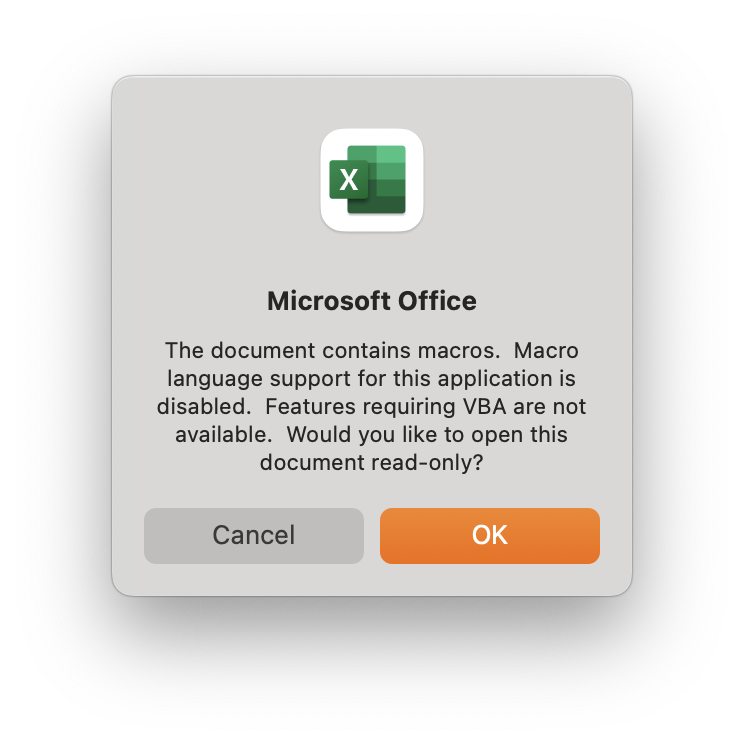"
icon="https://ics.services.jamfcloud.com/icon/hash_836bc15ee3a920f0402f19194aa9a5842180534181f53c4fff0ccd1243b5f897"
# overlayIcon=$( defaults read /Library/Preferences/com.jamfsoftware.jamf.plist self_service_app_path )
infobox=" "
button1text="Continue …"
button2text="Quit"
infobuttontext="KB8675309"
infobuttonaction="https://servicenow.company.com/support?id=kb_article_view&sysparm_article=${infobuttontext}"
welcomeProgressText="Please click Continue to proceed …"
# # # # # # # # # # # # # # # # # # # # # # # # # # # # # # # # # # # # # # # # # # # # # # # # # #
# Welcome Dialog Settings and Features
# # # # # # # # # # # # # # # # # # # # # # # # # # # # # # # # # # # # # # # # # # # # # # # # # #
dialogWelcome="$dialogBinary \
--title \"$title\" \
--message \"$message\" \
--icon \"$icon\" \
--infobox \"$infobox\" \
--button1text \"$button1text\" \
--button2text \"$button2text\" \
--infobuttontext \"$infobuttontext\" \
--infobuttonaction \"$infobuttonaction\" \
--progress \"$progressSteps\" \
--progresstext \"$welcomeProgressText\" \
--moveable \
--titlefont size=22 \
--messagefont size=14 \
--iconsize 135 \
--width 650 \
--height 485 \
--position bottomright \
--ontop \
--quitkey k \
--commandfile \"$dialogWelcomeLog\" "
# --overlayicon \"$overlayIcon\" \
# # # # # # # # # # # # # # # # # # # # # # # # # # # # # # # # # # # # # # # # # # # # # # # # # #
# Progress Dialog Title, Message and Icon
# # # # # # # # # # # # # # # # # # # # # # # # # # # # # # # # # # # # # # # # # # # # # # # # # #
title="${humanReadableScriptName} (${scriptVersion})"
message="Analyzing …"
icon="https://ics.services.jamfcloud.com/icon/hash_836bc15ee3a920f0402f19194aa9a5842180534181f53c4fff0ccd1243b5f897"
progressProgressText="Initializing …"
# # # # # # # # # # # # # # # # # # # # # # # # # # # # # # # # # # # # # # # # # # # # # # # # # #
# Progress Dialog Settings and Features
# # # # # # # # # # # # # # # # # # # # # # # # # # # # # # # # # # # # # # # # # # # # # # # # # #
dialogProgress="$dialogBinary \
--title \"$title\" \
--message \"$message\" \
--icon \"$icon\" \
--progress \
--progresstext \"$progressProgressText\" \
--mini \
--moveable \
--position bottomright \
--ontop \
--quitkey k \
--commandfile \"$dialogProgressLog\" "
####################################################################################################
#
# Functions
#
####################################################################################################
# # # # # # # # # # # # # # # # # # # # # # # # # # # # # # # # # # # # # # # # # # # # # # # # # #
# Client-side Logging
# # # # # # # # # # # # # # # # # # # # # # # # # # # # # # # # # # # # # # # # # # # # # # # # # #
function updateScriptLog() {
echo "${organizationScriptName} ($scriptVersion): $( date +%Y-%m-%d\ %H:%M:%S ) - ${1}" | tee -a "${scriptLog}"
}
function preFlight() {
updateScriptLog "[PRE-FLIGHT] ${1}"
}
function logComment() {
updateScriptLog " ${1}"
}
function notice() {
updateScriptLog "[NOTICE] ${1}"
}
function info() {
updateScriptLog "[INFO] ${1}"
}
function debug() {
if [[ "$operationMode" == "debug" ]]; then
updateScriptLog "[DEBUG] ${1}"
fi
}
function errorOut(){
updateScriptLog "[ERROR] ${1}"
}
function error() {
updateScriptLog "[ERROR] ${1}"
let errorCount++
}
function warning() {
updateScriptLog "[WARNING] ${1}"
let errorCount++
}
function fatal() {
updateScriptLog "[FATAL ERROR] ${1}"
exit 1
}
function quitOut(){
updateScriptLog "[QUIT] ${1}"
}
# # # # # # # # # # # # # # # # # # # # # # # # # # # # # # # # # # # # # # # # # # # # # # # # # #
# Validate / install swiftDialog (Thanks big bunches, @acodega!)
# # # # # # # # # # # # # # # # # # # # # # # # # # # # # # # # # # # # # # # # # # # # # # # # # #
function dialogInstall() {
# Get the URL of the latest PKG From the Dialog GitHub repo
dialogURL=$(curl -L --silent --fail "https://api.github.com/repos/swiftDialog/swiftDialog/releases/latest" | awk -F '"' "/browser_download_url/ && /pkg\"/ { print \$4; exit }")
# Expected Team ID of the downloaded PKG
expectedDialogTeamID="PWA5E9TQ59"
preFlight "Installing swiftDialog..."
# Create temporary working directory
workDirectory=$( /usr/bin/basename "$0" )
tempDirectory=$( /usr/bin/mktemp -d "/private/tmp/$workDirectory.XXXXXX" )
# Download the installer package
/usr/bin/curl --location --silent "$dialogURL" -o "$tempDirectory/Dialog.pkg"
# Verify the download
teamID=$(/usr/sbin/spctl -a -vv -t install "$tempDirectory/Dialog.pkg" 2>&1 | awk '/origin=/ {print $NF }' | tr -d '()')
# Install the package if Team ID validates
if [[ "$expectedDialogTeamID" == "$teamID" ]]; then
/usr/sbin/installer -pkg "$tempDirectory/Dialog.pkg" -target /
sleep 2
dialogVersion=$( /usr/local/bin/dialog --version )
preFlight "swiftDialog version ${dialogVersion} installed; proceeding..."
else
# Display a so-called "simple" dialog if Team ID fails to validate
osascript -e 'display dialog "Please advise your Support Representative of the following error:\r\r• Dialog Team ID verification failed\r\r" with title "Setup Your Mac: Error" buttons {"Close"} with icon caution'
completionActionOption="Quit"
exitCode="1"
quitScript
fi
# Remove the temporary working directory when done
/bin/rm -Rf "$tempDirectory"
}
function dialogCheck() {
# Output Line Number in `verbose` Debug Mode
if [[ "${operationMode}" == "debug" ]]; then preFlight "# # # VERBOSE DEBUG MODE: Line No. ${LINENO} # # #" ; fi
# Check for Dialog and install if not found
if [ ! -e "/Library/Application Support/Dialog/Dialog.app" ]; then
preFlight "swiftDialog not found. Installing..."
dialogInstall
else
dialogVersion=$(/usr/local/bin/dialog --version)
if [[ "${dialogVersion}" < "${swiftDialogMinimumRequiredVersion}" ]]; then
preFlight "swiftDialog version ${dialogVersion} found but swiftDialog ${swiftDialogMinimumRequiredVersion} or newer is required; updating..."
dialogInstall
else
preFlight "swiftDialog version ${dialogVersion} found; proceeding..."
fi
fi
}
# # # # # # # # # # # # # # # # # # # # # # # # # # # # # # # # # # # # # # # # # # # # # # # # # #
# Quit Script (thanks, @bartreadon!)
# # # # # # # # # # # # # # # # # # # # # # # # # # # # # # # # # # # # # # # # # # # # # # # # # #
function quitScript() {
quitOut "Quitting …"
updateWelcomeDialog "quit: "
sleep 1
quitOut "Exiting …"
# Remove dialogWelcomeLog
if [[ -e ${dialogWelcomeLog} ]]; then
quitOut "Removing ${dialogWelcomeLog} …"
rm "${dialogWelcomeLog}"
fi
# Remove dialogProgressLog
if [[ -e ${dialogProgressLog} ]]; then
quitOut "Removing ${dialogProgressLog} …"
rm "${dialogProgressLog}"
fi
# Remove dialogCompleteLog
if [[ -e ${dialogCompleteLog} ]]; then
quitOut "Removing ${dialogCompleteLog} …"
rm "${dialogCompleteLog}"
fi
# Remove any default dialog file
if [[ -e /var/tmp/dialog.log ]]; then
quitOut "Removing default dialog file …"
rm /var/tmp/dialog.log
fi
quitOut "Goodbye!"
exit "${1}"
}
# # # # # # # # # # # # # # # # # # # # # # # # # # # # # # # # # # # # # # # # # # # # # # # # # #
# Update Welcome Dialog
# # # # # # # # # # # # # # # # # # # # # # # # # # # # # # # # # # # # # # # # # # # # # # # # # #
function updateWelcomeDialog() {
sleep 0.1
echo "${1}" >> "${dialogWelcomeLog}"
}
# # # # # # # # # # # # # # # # # # # # # # # # # # # # # # # # # # # # # # # # # # # # # # # # # #
# Update Progress Dialog
# # # # # # # # # # # # # # # # # # # # # # # # # # # # # # # # # # # # # # # # # # # # # # # # # #
function updateProgressDialog() {
sleep 0.1
echo "${1}" >> "${dialogProgressLog}"
}
# # # # # # # # # # # # # # # # # # # # # # # # # # # # # # # # # # # # # # # # # # # # # # # # # #
# Debug Removal
# # # # # # # # # # # # # # # # # # # # # # # # # # # # # # # # # # # # # # # # # # # # # # # # # #
function debugRemoval() {
updateWelcomeDialog "progresstext: “operationMode” is set to “debug”"
updateWelcomeDialog "button1: disable"
updateWelcomeDialog "button1text: Goodbye!"
updateWelcomeDialog "button2: disable"
sleep "${anticipationDuration}"
updateWelcomeDialog "infobox: **Operation Mode:** ${operationMode}"
updateWelcomeDialog "infobox: + <br><br>**Pauses**: ${anticipationDuration} sec."
updateWelcomeDialog "message: ### Operating in Debug Mode"
updateWelcomeDialog "message: + <br><br>(See the \`debugRemoval\` function for how this works.)"
updateWelcomeDialog "progresstext: Pausing for ${anticipationDuration} seconds …"
sleep "${anticipationDuration}"
updateWelcomeDialog "message: + <br><br>When you’re ready, change \`operationMode\` to \`interactive\`."
updateWelcomeDialog "progresstext: Setting “operationMode” to “interactive” actually deletes files …"
sleep "${anticipationDuration}"
updateWelcomeDialog "message: + <br><br>**Interactive Mode:**"
updateWelcomeDialog "progresstext: Tell me more …"
sleep "${anticipationDuration}"
updateWelcomeDialog "message: + 1. Execute the \`confirmApplicationStatus\` function for each app"
updateWelcomeDialog "progresstext: Confirm / quit Word, Excel, PowerPoint and Acrobat Pro"
sleep "${anticipationDuration}"
updateWelcomeDialog "message: + 2. Execute the \`removePlugin\` function for each app"
updateWelcomeDialog "progresstext: Nuke the Acrobat add-in for Word, Excel, and PowerPoint"
sleep "${anticipationDuration}"
updateWelcomeDialog "message: + 3. There is no Step 3"
updateWelcomeDialog "progresstext: There’s no Step 3!"
sleep "${anticipationDuration}"
updateWelcomeDialog "icon: SF=checkmark.circle.fill,weight=bold,colour1=#00ff44,colour2=#075c1e"
updateWelcomeDialog "message: + <br><br>As a reminder, \`operationMode\` is currently set to \`${operationMode}\`, so the script really didn't **do** anything.<br><br>**Goodbye!**"
updateWelcomeDialog "progress: 100"
updateWelcomeDialog "progresstext: Elapsed Time: $(printf '%dh:%dm:%ds\n' $((SECONDS/3600)) $((SECONDS%3600/60)) $((SECONDS%60)))"
updateWelcomeDialog "button1text: Goodbye!"
updateWelcomeDialog "button1: enable"
wait
}
# # # # # # # # # # # # # # # # # # # # # # # # # # # # # # # # # # # # # # # # # # # # # # # # # #
# Interactive Removal
# # # # # # # # # # # # # # # # # # # # # # # # # # # # # # # # # # # # # # # # # # # # # # # # # #
function interactiveRemoval() {
updateProgressDialog "message: Please wait …"
# # # # # # # # # # # # # # # # # # # # # # # # # # # # # # # # # # # # # # # # # # # # # # # # # #
# Prompt user to quit Microsoft Office and Adobe Acrobat apps
# confirmApplicationStatus "Process Name" "Human-readable Name"
# # # # # # # # # # # # # # # # # # # # # # # # # # # # # # # # # # # # # # # # # # # # # # # # # #
confirmApplicationStatus "Microsoft Word" "Word" "${wordIcon}"
confirmApplicationStatus "Microsoft Excel" "Excel" "${excelIcon}"
confirmApplicationStatus "Microsoft PowerPoint" "PowerPoint" "${pointpointIcon}"
confirmApplicationStatus "AdobeAcrobat" "Acrobat Pro" "${acrobatIcon}"
# # # # # # # # # # # # # # # # # # # # # # # # # # # # # # # # # # # # # # # # # # # # # # # # # #
# Remove Adobe Acrobat Add-ins from Microsoft Office startup folders
# removePlugin "${variable}" "Human-readable Name" "Progress Percent"
# # # # # # # # # # # # # # # # # # # # # # # # # # # # # # # # # # # # # # # # # # # # # # # # # #
updateProgressDialog "message: Please wait while the Adobe Acrobat Add-in is removed …"
updateProgressDialog "progress: increment"
updateProgressDialog "progresstext: Initializing …"
sleep "${anticipationDuration}"
removePlugin "${excelPlugin}" "Excel" "${excelIcon}"
removePlugin "${powerpointPlugin}" "PowerPoint" "${pointpointIcon}"
removePlugin "${wordPlugin}" "Word" "${wordIcon}"
#notice "Removing ${loggedInUserHome}/Library/Group Containers/UBF8T346G9.Office/MicrosoftRegistrationDB.reg…"
#rm -fv "${loggedInUserHome}/Library/Group Containers/UBF8T346G9.Office/MicrosoftRegistrationDB.reg"
}
# # # # # # # # # # # # # # # # # # # # # # # # # # # # # # # # # # # # # # # # # # # # # # # # # #
# Complete dialog
# # # # # # # # # # # # # # # # # # # # # # # # # # # # # # # # # # # # # # # # # # # # # # # # # #
function completeDialog() {
notice "Removed Adobe Acrobat Add-in from Microsoft 365"
updateProgressDialog "activate:"
updateProgressDialog "message: Removed Adobe Acrobat Add-in from Microsoft 365."
updateProgressDialog "progress: 100"
updateProgressDialog "progresstext: Elapsed Time: $(printf '%dh:%dm:%ds\n' $((SECONDS/3600)) $((SECONDS%3600/60)) $((SECONDS%60)))"
updateProgressDialog "icon: SF=checkmark.circle.fill,weight=bold,colour1=#00ff44,colour2=#075c1e"
logComment "Elapsed Time: $(printf '%dh:%dm:%ds\n' $((SECONDS/3600)) $((SECONDS%3600/60)) $((SECONDS%60)))"
sleep "${anticipationDuration}"
sleep "${anticipationDuration}"
sleep "${anticipationDuration}"
updateProgressDialog "quit:"
}
# # # # # # # # # # # # # # # # # # # # # # # # # # # # # # # # # # # # # # # # # # # # # # # # # #
# Check for running processes (supplied as Parameter 1)
# # # # # # # # # # # # # # # # # # # # # # # # # # # # # # # # # # # # # # # # # # # # # # # # # #
function procesStatus() {
processToCheck="${1}"
logComment "Process: ${processToCheck}"
processToCheckStatus=$( /usr/bin/pgrep -x "${processToCheck}" )
if [[ -n ${processToCheckStatus} ]]; then
processCheckResult+="'${processToCheck}' running; "
else
processCheckResult+="'${processToCheck}' NOT running; "
fi
}
# # # # # # # # # # # # # # # # # # # # # # # # # # # # # # # # # # # # # # # # # # # # # # # # # #
# Confirm Application status
# confirmApplicationStatus "Process Name" "Human-readable Name" "icon"
# # # # # # # # # # # # # # # # # # # # # # # # # # # # # # # # # # # # # # # # # # # # # # # # # #
function confirmApplicationStatus() {
appStatus=$( pgrep -x "${1}")
if [[ -n "${appStatus}" ]]; then
updateProgressDialog "icon: ${3}"
updateProgressDialog "message: Please save open files and quit ${2}."
updateProgressDialog "progresstext: Waiting for ${loggedInUser} to quit ${2} …"
updateProgressDialog "activate:"
while [[ -n "${appStatus}" ]]; do
logComment "${1} running; waiting for ${loggedInUser} to quit …"
sleep "${anticipationDuration}"
appStatus=$( pgrep -x "${1}" )
done
updateProgressDialog "icon: ${icon}"
updateProgressDialog "message: ${2} no longer running."
updateProgressDialog "progresstext: Continuing …"
sleep "${anticipationDuration}"
else
notice "${1} NOT running; proceeding …"
sleep "${anticipationDuration}"
fi
}
# # # # # # # # # # # # # # # # # # # # # # # # # # # # # # # # # # # # # # # # # # # # # # # # # #
# Remove Add-in
# removePlugin "${variable}" "Human-readable Name" "icon"
# # # # # # # # # # # # # # # # # # # # # # # # # # # # # # # # # # # # # # # # # # # # # # # # # #
function removePlugin() {
updateProgressDialog "icon: ${3}"
updateProgressDialog "message: Detecting ${2}’s Acrobat Add-in …"
updateProgressDialog "progresstext: Detecting ${2}’s Acrobat Add-in …"
updateProgressDialog "progress: increment"
updateProgressDialog "activate:"
sleep "${anticipationDuration}"
if [[ -e "${loggedInUserHome}${officeStartupFolder}${1}" ]]; then
notice "Removing ${loggedInUserHome}${officeStartupFolder}${1} …"
updateProgressDialog "progress: increment"
updateProgressDialog "progresstext: Removing ${2}’s Acrobat Add-in …"
if [[ "${operationMode}" == "debug" ]]; then
debug "Faux remove ${loggedInUserHome}${officeStartupFolder}${1} …"
updateProgressDialog "message: **Faux** remove \`${loggedInUserHome}${officeStartupFolder}${1}\` …"
else
rm -v "${loggedInUserHome}${officeStartupFolder}${1}"
logComment "Removed ${loggedInUserHome}${officeStartupFolder}${1} …"
fi
updateProgressDialog "progresstext: Removed ${2}’s Acrobat Add-in"
updateProgressDialog "progress: increment"
sleep "${anticipationDuration}"
updateProgressDialog "progresstext: Continuing …"
sleep "${anticipationDuration}"
else
updateProgressDialog "message: ${2}’s Acrobat Add-in NOT found …"
updateProgressDialog "progresstext: ${2}’s Acrobat Add-in NOT found …"
updateScriptLog "${loggedInUserHome}${officeStartupFolder}${1} NOT found"
sleep "${anticipationDuration}"
fi
updateProgressDialog "icon: ${icon}"
}
# # # # # # # # # # # # # # # # # # # # # # # # # # # # # # # # # # # # # # # # # # # # # # # # # #
# Remove Add-in, sans swiftDialog
# # # # # # # # # # # # # # # # # # # # # # # # # # # # # # # # # # # # # # # # # # # # # # # # # #
function removePluginUgly() {
if [[ -e "${loggedInUserHome}${officeStartupFolder}${1}" ]]; then
warning "Removing ${loggedInUserHome}${officeStartupFolder}${1} …"
rm -v "${loggedInUserHome}${officeStartupFolder}${1}"
else
logComment "${loggedInUserHome}${officeStartupFolder}${1} NOT found"
fi
}
####################################################################################################
#
# Pre-flight Checks
#
####################################################################################################
# # # # # # # # # # # # # # # # # # # # # # # # # # # # # # # # # # # # # # # # # # # # # # # # # #
# Pre-flight Check: Client-side Logging
# # # # # # # # # # # # # # # # # # # # # # # # # # # # # # # # # # # # # # # # # # # # # # # # # #
if [[ ! -f "${scriptLog}" ]]; then
touch "${scriptLog}"
if [[ -f "${scriptLog}" ]]; then
preFlight "Created specified scriptLog: ${scriptLog}"
else
fatal "Unable to create specified scriptLog '${scriptLog}'; exiting.\n\n(Is this script running as 'root' ?)"
fi
else
preFlight "Specified scriptLog '${scriptLog}' exists; writing log entries to it"
fi
# # # # # # # # # # # # # # # # # # # # # # # # # # # # # # # # # # # # # # # # # # # # # # # # # #
# Pre-flight Check: Logging Preamble
# # # # # # # # # # # # # # # # # # # # # # # # # # # # # # # # # # # # # # # # # # # # # # # # # #
preFlight "\n\n###\n# $humanReadableScriptName (${scriptVersion})\n# Operation Mode: ${operationMode}\n###\n"
preFlight "Initiating …"
# # # # # # # # # # # # # # # # # # # # # # # # # # # # # # # # # # # # # # # # # # # # # # # # # #
# Pre-flight Check: Confirm script is running as root
# # # # # # # # # # # # # # # # # # # # # # # # # # # # # # # # # # # # # # # # # # # # # # # # # #
if [[ $(id -u) -ne 0 ]]; then
fatal "This script must be run as root; exiting."
fi
# # # # # # # # # # # # # # # # # # # # # # # # # # # # # # # # # # # # # # # # # # # # # # # # # #
# Pre-flight Check: Confirm Visual Basic external library bindings status (and exit if disabled)
# # # # # # # # # # # # # # # # # # # # # # # # # # # # # # # # # # # # # # # # # # # # # # # # # #
vbExternalLibraryBindingsStatus=$( defaults read /Library/Managed\ Preferences/com.microsoft.office.plist DisableVisualBasicExternalDylibs )
if [[ "${vbExternalLibraryBindingsStatus}" == "0" ]]; then
osascript -e 'display dialog "Microsoft Visual Basic External Library Bindings is currently disable and this script is most likely not needed.\r\rPlease see the author’s site:\rhttps://snelson.us/?s=acrobat\r\rPlease also see the following Microsoft site:\rhttps://learn.microsoft.com/en-us/microsoft-365-apps/mac/set-preference-macro-security-office-for-mac#visual-basic-external-library-bindings\r\r" with title "Adobe Acrobat Add-in Removal for Microsoft 365: Error" buttons {"Close"} with icon caution'
fatal "Visual Basic external library bindings is disabled; exiting."
else
preFlight "Visual Basic external library bindings is enabled; proceeding …"
fi
# # # # # # # # # # # # # # # # # # # # # # # # # # # # # # # # # # # # # # # # # # # # # # # # # #
# Pre-flight Check: Validate swiftDialog is installed
# # # # # # # # # # # # # # # # # # # # # # # # # # # # # # # # # # # # # # # # # # # # # # # # # #
preFlight "Validate swiftDialog is installed"
dialogCheck
# # # # # # # # # # # # # # # # # # # # # # # # # # # # # # # # # # # # # # # # # # # # # # # # # #
# Pre-flight Check: Complete
# # # # # # # # # # # # # # # # # # # # # # # # # # # # # # # # # # # # # # # # # # # # # # # # # #
preFlight "Complete!"
####################################################################################################
#
# Program
#
####################################################################################################
# # # # # # # # # # # # # # # # # # # # # # # # # # # # # # # # # # # # # # # # # # # # # # # # # #
# Script behavior controlled by ${operationMode}
# # # # # # # # # # # # # # # # # # # # # # # # # # # # # # # # # # # # # # # # # # # # # # # # # #
case ${operationMode} in
"interactive" ) # Leverage swiftDialog to provide user feedback
# # # # # # # # # # # # # # # # # # # # # # # # # # # # # # # # # # # # # # # # # # # # # # # # # #
# Create "Adobe Acrobat Add-in Removal" dialog
# # # # # # # # # # # # # # # # # # # # # # # # # # # # # # # # # # # # # # # # # # # # # # # # # #
notice "${operationMode} Operation Mode"
logComment "Create Adobe Acrobat Add-in Removal dialog …"
eval "$dialogWelcome"
welcomeReturncode=$?
case ${welcomeReturncode} in
0) ## Process exit code 0 scenario here
notice "${loggedInUser} clicked ${button1text};"
eval "$dialogProgress" & sleep 0.1
interactiveRemoval
completeDialog
;;
2) ## Process exit code 2 scenario here
notice "${loggedInUser} clicked ${button2text};"
quitScript "0"
;;
3) ## Process exit code 3 scenario here
notice "${loggedInUser} clicked ${infobuttontext};"
;;
4) ## Process exit code 4 scenario here
notice "${loggedInUser} allowed timer to expire;"
quitScript "1"
;;
*) ## Catch all processing
notice "Something else happened; Exit code: ${welcomeReturncode};"
quitScript "1"
;;
esac
;;
"silent" ) # Brute-force removal, sans user feedback. Untested; use with caution!
notice "${operationMode} Operation Mode"
# Force-quit Microsoft Office and Adobe Acrobat apps
# pkill -9 'Microsoft Word'
# pkill -9 'Microsoft Excel'
# pkill -9 'Microsoft PowerPoint'
# pkill -9 'AdobeAcrobat'
# Remove Add-ins
removePluginUgly "${excelPlugin}"
removePluginUgly "${powerpointPlugin}"
removePluginUgly "${wordPlugin}"
;;
"debug" | * ) # Don't actually delete anything
notice "${operationMode} Operation Mode"
eval "$dialogWelcome" & sleep 0.1
debugRemoval
;;
esac
# # # # # # # # # # # # # # # # # # # # # # # # # # # # # # # # # # # # # # # # # # # # # # # # # #
# Exit
# # # # # # # # # # # # # # # # # # # # # # # # # # # # # # # # # # # # # # # # # # # # # # # # # #
info "Elapsed Time: $(printf '%dh:%dm:%ds\n' $((SECONDS/3600)) $((SECONDS%3600/60)) $((SECONDS%60)))"
quitOut "End-of-line."
quitScript "0"
B. Add the script to your Jamf Pro server
- Add the
Adobe Acrobat Add-in Removal for Microsoft 365.zshscript to your Jamf Pro server - Specify the following for Options > Parameter Labels
- Parameter 4:
Operation Mode [ debug (default) | interactive | silent ] - Parameter 5:
"Anticipation" Duration (in seconds)
- Parameter 4:
- Click Save

C. Create a Jamf Pro Policy to remove the non-executable Acrobat Add-in
- Create a new Jamf Pro Policy, using the following as a guide for Options > General:
- Set Display Name to
Adobe Acrobat Add-in Removal for Microsoft 365 (1.0.0) - Set Execution Frequency to
Ongoing
- Set Display Name to

- Select the Scripts payload and add the
Adobe Acrobat Add-in Removal for Microsoft 365.zshscript, specifying the following Parameter Values- Operation Mode:
interactive - “Anticipation” Duration:
1
- Operation Mode:

- Adjust Scope to your liking; we use our Adobe Acrobat Smart Group
- Use the following for Self Service
- Self Service Display Name:
Adobe Acrobat Add-in Removal for Microsoft 365 (1.0.0) - Button Name Before Initiation:
Remove - Button Name After Initiation:
Remove - Icon:
 (download)
 - Description:
- Self Service Display Name:
## Removes the Adobe Acrobat Add-in from Microsoft 365 Each time Adobe Acrobat Pro is installed or updated, an Acrobat Add-in is added to Microsoft 365. This Add-in relies on external dynamic libraries — which are purposely disabled — resulting in error messages being displayed in the following applications: - Microsoft Word - Microsoft Excel - Microsoft PowerPoint Please save any open files and quit these applications, then click **Remove** to continue. (See [KB8675309](https://servicenow.company.com/support?id=kb_article_view&sysparm_article=KB8675309) for detailed information.)  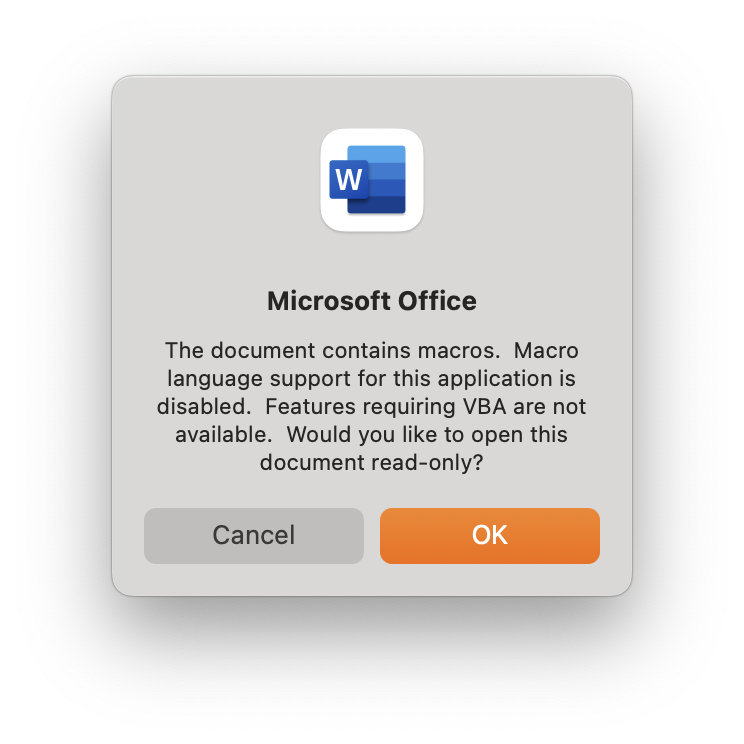 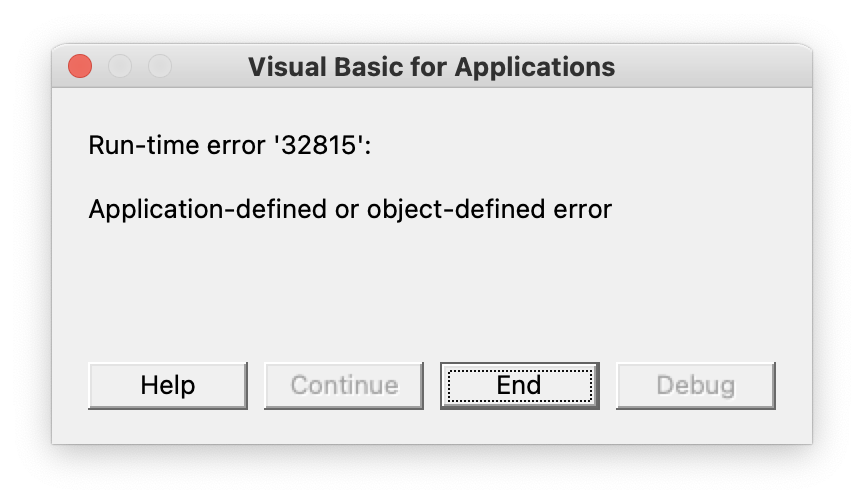

- Click Save